
Acer's 1,000Hz Predator Lists No Grey-to-Grey Spec
TechCurrent Staff•15:39 UTC•13 min read
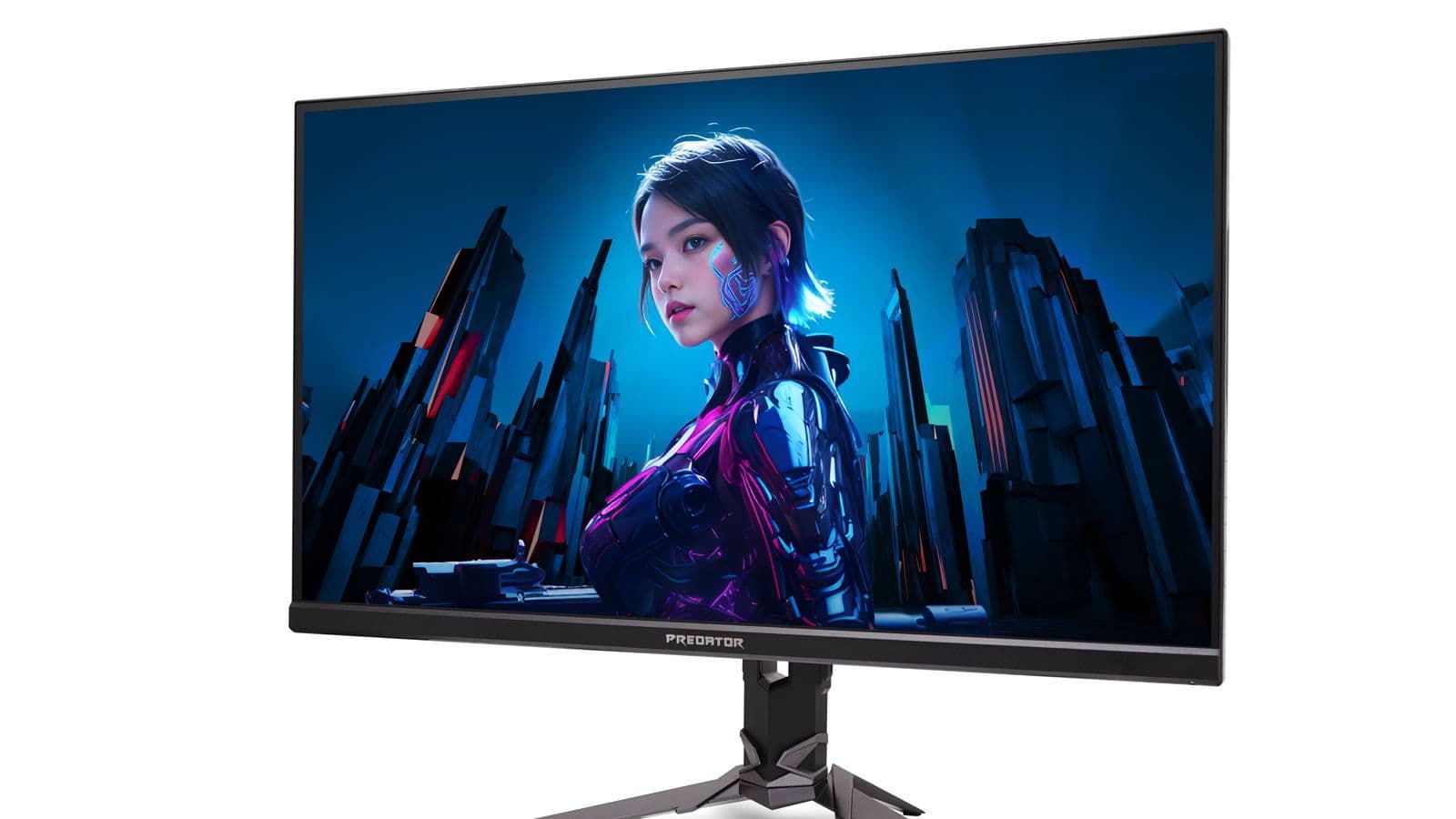
Acer showed a 1,000Hz gaming monitor in Berlin on September 2, and a fair amount of the coverage called it a world first. Acer never said that, and it isn't.
The press release headline is carefully worded: "Acer Unveils Its First FHD 1000 Hz Gaming Monitor." Its first. LG's UltraGear 25G590B, a native 1,000Hz 1080p display, has been orderable since the summer at a penny shy of $1,000. Panels that reach 1,000Hz by dropping resolution have been shipping since the winter, Acer's own Predator XB273U F6 among them, announced at CES in January at $799.99 and hitting 1,000Hz only at 1280x720.
The queue behind it is longer still. HKC said in July it would debut a tri-mode 1,300Hz monitor. Samsung's 1,100Hz Odyssey G6, announced in August, is another dual-mode figure: 1,100Hz at HD, 600Hz at 1440p. Acer's Predator XB253Q U1 arrives at $1,099.99 in Q1 2027, roughly two quarters behind a monitor you can already buy for a hundred dollars less.
A refresh rate is a budget. At 60Hz every layer of the stack gets 16.67 milliseconds to produce and display a frame. At 240Hz it gets 4.17ms. At 1,000Hz the budget is exactly 1.00ms, and it applies to all of it: the game simulation, the render, the compositor, the cable, the scaler, and the liquid crystal itself physically rotating from one state to the next.
Miss the deadline anywhere and the display does not show the frames it advertises. It shows blends of frames it was still in the middle of drawing.
The eye is the layer everyone argues about, and it is the one where the number people quote has been wrong for years. That number is the critical flicker fusion rate, the point at which a flickering light looks steady.
Flicker fusion saturates around 100Hz
In *Vision* in 2023, Fernandez-Alonso, Innes and Read pushed peripheral flicker fusion to very high luminances and found the curve stops climbing. According to the paper, up to 10⁴ Trolands the data followed the Ferry-Porter law, "however, at higher intensities, the CFF function flattens and saturates at ~90 Hz for a target size of 5.7 degrees, and at ~100 Hz for a target of 10 degrees of angular size." The authors are explicit that this matters "particularly for determining the optimal refresh rate for visual displays." On that measure 144Hz already finished the job.
Put a hard edge in the image and the limit jumps past 500Hz. Davis, Hsieh and Lee, in *Scientific Reports* in 2015, reported that "humans perceive visual flicker artifacts at rates over 500 Hz when a display includes high frequency spatial edges," a rate they note is "many times higher than previously reported." Their conclusion was aimed squarely at display engineers: "modern display designs which use complex spatio-temporal coding need to update much faster than conventional TVs."
Move your eyes and it goes into the kilohertz. Roberts and Wilkins, in *Lighting Research & Technology* in 2012, watched a flickering light during 20 to 40 degree saccades in a near-dark room. The modulation smeared into a spatial dotted trail across the moving retina, and the appearance of that trail "enabled the discrimination of flicker from steady light at frequencies that in 11 observers averaged 1.98 kHz." This is the phantom array effect, and a 2023 *Scientific Reports* study found its visibility rises with saccade speed. (TechCurrent verified that figure against the paper's published abstract; the full text is paywalled.)
Conscious recognition, meanwhile, is an order of magnitude slower than any of this. Potter and colleagues showed in 2014 that when six or 12 pictures were flashed at between 13 and 80ms each with no gap between them, detection of a named target was "significantly above chance at all durations." Thirteen milliseconds per picture is roughly 77 pictures a second. Recognition is still working in tens of milliseconds while the display argument has moved to single milliseconds and below.
Taken together, and this is TechCurrent's reading rather than any single paper's claim, flicker fusion is a ceiling nobody was pushing against. It saturated three product generations ago. What keeps receding is motion smear, which is a property of how long a display holds a frame rather than a property of biology, along with saccadic artifacts that run into the kilohertz. So 1,000Hz is not beyond human vision, and it is nowhere near a thousand times better than 60Hz. It goes after one artifact, and the returns fall off fast.
The blur arithmetic at 1,000 pixels per second
A sample-and-hold display freezes each frame for the whole frame interval. When your eye smoothly tracks a moving object, the retinal image smears by roughly the object's on-screen velocity multiplied by the hold time. That relationship is the mechanism modelled by Dénes and colleagues in ACM Transactions on Graphics in 2020, whose model "considers two motion artifacts to establish an overall quality score: non-smooth (juddery) motion, and blur," with blur "modeled as a combined effect of eye motion, finite refresh rate and display resolution." The experiments behind it were narrow: they "conducted psychophysical experiments to measure the quality of motion from 50 Hz to 165 Hz." Nobody has validated a model anywhere near 1,000Hz.
The arithmetic below is TechCurrent's, using published frame times at a fixed on-screen velocity of 1,000 pixels per second.
| Refresh | Frame time | Blur (px) | Blur removed vs previous step |
|---|---|---|---|
| 60 Hz | 16.67 ms | 16.7 | baseline |
| 144 Hz | 6.94 ms | 6.9 | -9.7 px |
| 240 Hz | 4.17 ms | 4.2 | -2.8 px |
| 360 Hz | 2.78 ms | 2.8 | -1.4 px |
| 500 Hz | 2.00 ms | 2.0 | -0.8 px |
| 720 Hz | 1.39 ms | 1.4 | -0.6 px |
| 1000 Hz | 1.00 ms | 1.0 | -0.4 px |
Every doubling halves the blur, and the absolute gain collapses anyway: 60Hz to 144Hz removes about 9.7 pixels of smear, 500Hz to 1,000Hz removes one.
Is that pixel visible? A 24.5-inch 16:9 screen is about 542mm wide, so 1920 pixels gives a pitch near 0.283mm. At a 60cm viewing distance one pixel subtends roughly 1.6 arcminutes, against normal foveal acuity of about 1 arcminute. The entire remaining advantage of 1,000Hz over 500Hz, at that velocity, sits just above the threshold of what the fovea resolves at all. The gain does scale linearly with velocity, so a flick shot travelling at 4,000 px/s recovers about four pixels rather than one.
One 1,000Hz panel measured 6.85ms
All of the above assumes the panel does what it says. In June, Monitors Unboxed measured a Philips Evnia 27M2N5500XD, a 1,000Hz dual-mode IPS, and the results were reported by Club386: an average response time of 6.85ms against the 1ms the refresh rate demands, and 31.8% refresh rate compliance against the 80%-plus normally considered acceptable. Full black-to-black transitions, per the same report, exceeded 4ms and sometimes 10ms. Club386's summary was that "the specific panel here simply isn't fast enough to cope with a 1,000Hz refresh rate."
Two caveats travel with that. TechCurrent has not independently verified the measurements; they come from a video review, reported by Club386. And the panel measured is a dual-mode 1440p Fast IPS rather than the native 1,000Hz BOE ADS PRO panel that AOC and Philips announced in May with a claimed "0.2ms G2G response time," a figure TFTCentral told readers to take "with a pinch of salt." So treat the 6.85ms as a warning about the category rather than a verdict on every 1,000Hz LCD.
The specialist press had been saying much the same thing all year, before anyone measured it. TFTCentral in February: "we remain sceptical about whether these IPS LCD panels are really going to be able to keep up with the frame rate demands of 1000Hz+ when it comes to pixel response times." TFTCentral in January, on Acer's own dual-mode model: "We've not seen any which reach these kind of levels in the past." And Club386 in August, on LG's 1,000Hz UltraGear, put the stakes plainly: "if the monitor can't meet this response time requirement, its refresh rate is ultimately meaningless."
OLED is not in this argument. TFTCentral's OLED FAQ puts OLED at "true <1ms G2G response times (you will see specs of 0.03ms G2G commonly)." The 1,000Hz LCDs claim 0.2ms to 1ms. The one that has been measured averaged 6.85ms.
Acer's only response figure is a strobing mode
Acer's published table for the XB253Q U1 lists a 24.5-inch IPS panel, 1920x1080 at 1,000Hz, 400 nits native and 450 peak in HDR400 mode, 8-bit plus FRC, 90% DCI-P3, two HDMI 2.1 inputs and one DisplayPort 2.1, FreeSync Premium and G-SYNC Compatible.
The response time entry reads, in full: 0.3 ms (VRB Pro).
There is no grey-to-grey figure anywhere in the release. That is the number the June measurements were about. VRB is Acer's Visual Response Boost, and TFTCentral's review of an older Acer implementation describes it as a mode that "strobes the backlight off/on rapidly to help reduce the perceived motion blur in gaming." A strobe shortens the time each frame is visible, which reduces smear without making the pixels any faster, and it costs light. On that older 144Hz monitor TFTCentral measured a 0.75ms strobe and, with the brightness control at maximum, 49.8 cd/m² at 120Hz, which it called "really too dark" outside a dark room. VRB was not offered at that panel's own 144Hz maximum at all. That is a different, older product and VRB Pro may behave differently, but the physics is the same physics. Acer publishes neither the strobe duty cycle nor the brightness in VRB Pro mode for the new model, and does not say whether VRB Pro can run at the same time as variable refresh.
The comparable AOC and Philips spec sheets list "1ms G2G (0.3ms MPRT)". Acer's 0.3ms matches the MPRT column exactly, and the G2G column is missing. TechCurrent cannot confirm the two figures are the same measurement, but it is a reasonable question to put to Acer.
VESA runs two programmes built precisely to substantiate this kind of claim with lab measurement, and Acer's release carries neither. ClearMR certifies motion blur as "the ratio of clear pixels to blurry pixels" across tiers from ClearMR 3000 to ClearMR 21000, and VESA says it "replaces Motion Picture Response Time (MPRT) and other methods of blur characterization since these other metrics do not accurately reflect the true nature of blur." Its stated reason is that "a solely time-based metric cannot account for a number of image enhancement and blur mitigation techniques, such as excessive overshoot and undershoot, which can create artifacts and distortions that negatively impact image quality." Acer's one response figure is exactly that kind of time-based metric. The AdaptiveSync Display CTS runs more than 50 test criteria including a lab-verified maximum refresh rate, grey-to-grey response, flicker, frame jitter and dropped frames. What the release does claim is G-SYNC Compatible and FreeSync Premium, which are compatibility validations rather than motion measurements.
Latency beat refresh rate in NVIDIA's own study
The most direct evidence on what improves aim comes from NVIDIA's own research lab. Spjut and colleagues, at SIGGRAPH Asia 2019, ran globally ranked esports players (eight in the single-click task, six of them in the tracking task) through 60, 120, 240 and 360Hz crossed with three latency levels, adding artificial latency at the high refresh rates to separate the two variables.
Latency dominated. The paper reports effect sizes of η²p = 0.88 for the single-hit task and 0.92 for tracking, both at p < 0.001. Refresh rate, once latency was equalised, was "slightly above significance" for tracking (p = 0.018) and "did not reach significance" for the single-hit task at all (p = 0.44).
"In essence, what our study shows is not that high refresh rate is unimportant, but that high refresh rate is important largely because of the latency reduction it provides."
The latency a faster refresh removes is roughly half a frame interval of waiting for the next scan-out: about 1.39ms at 360Hz, 1.00ms at 500Hz, 0.50ms at 1,000Hz. Going from 500Hz to 1,000Hz buys about half a millisecond. The best click-to-photon latency measured anywhere in the Spjut study was 22ms, and the paper puts human sensorimotor delay at 150 to 200ms, broken down as roughly 40ms to perceive the motion and 100ms to issue the motor command. Half a millisecond is around 2% of the machine's budget and a fraction of a percent of the whole loop. (That last calculation is TechCurrent's, from the paper's published figures.)
Where a thousand frames a second come from is its own problem. Feeding 1,000Hz real frames means a 1ms budget for simulation, render and present, and the industry's answer is generated frames: NVIDIA's DLSS 4 Multi Frame Generation "generates up to three additional frames per traditionally rendered frame". Generated frames carry no new player input. They can fill a 1,000Hz cadence with smoothness while delivering none of the latency reduction that Spjut's group measured as the thing doing the work. NVIDIA's own next move is reprojection rather than raw frame count: Reflex Frame Warp, which NVIDIA still lists as "coming soon," "improves responsiveness by updating the game frame based on the latest mouse input just before it is sent to the display."
About 50Gbit/s, over a link Acer does not specify
1920 x 1080 x 1,000 = 2.07 gigapixels per second. At 24 bits per pixel that is roughly 49.8 Gbit/s of active video before blanking overhead, so realistically low-to-mid 50s of gigabits per second. DisplayPort 2.1b at UHBR20 carries a maximum payload of 77.37 Gbps, which is comfortable. The catch is that VESA's own FAQ has to explain why it certifies DP 2.1b devices that do not support UHBR bit rates at all. "DisplayPort 2.1" on a spec sheet does not tell you the link rate. Acer does not state the tier, does not say whether Display Stream Compression is required, and does not say whether the two HDMI 2.1 ports can drive 1,000Hz at all.
The operating system is a live constraint too. In March 2026 a cluster of outlets including Tom's Hardware, VideoCardz, Digital Trends and gHacks reported that Windows 11 Insider builds had added support for monitors above 1,000Hz, with Tom's Hardware putting the new ceiling at 5,000Hz. Treat that as reported rather than confirmed: TechCurrent could not retrieve the underlying Windows Insider post, and Tom's Hardware's own headline says "reportedly." If it holds, Windows itself did not accommodate refresh rates above 1,000Hz until six months ago, which is some indication of how recently this was a hypothetical number.
Nobody has tested 500Hz against 1,000Hz on humans
There is no published, peer-reviewed psychophysics comparing 500Hz to 1,000Hz on a real display. None. The validated motion-quality literature stops at 165Hz. Every claim about the perceptual value of a thousand hertz over five hundred, from any vendor, is currently unsupported by human-subject data. And no independent lab has measured the XB253Q U1, which does not ship for another two quarters.
What can be compared is what $1,099 buys. Acer's 1,000Hz IPS arrives in Q1 2027 at $1,099.99. ASUS's ROG Swift PG259QWS Ace, a 720Hz fourth-generation Tandem WOLED, ships in early Q4 2026 at $1,099. TFTCentral's own rule of thumb, from its OLED FAQ, is that there is "about a 1.5x relationship between an OLED and a good LCD in motion clarity." Run that arithmetic and 720Hz of OLED lands in the region of a 1,080Hz LCD, at the same price and a quarter sooner, on pixels that finish well inside the frame.
“What our study shows is not that high refresh rate is unimportant, but that high refresh rate is important largely because of the latency reduction it provides.”
Reporting by TechCurrent Staff · TechCurrent